The Essential Guide to Networking Protocols: How Data Travels

The Essential Guide to Networking Protocols: How Data Travels
Every time you send an email, stream a video, or load a webpage, a complex, orchestrated dance of digital data occurs. This invisible movement relies on a set of rules known as networking protocols. Without these protocols, the internet would be a chaotic, unconnected mess. This guide breaks down how these rules function, from the physical cable to the application you use, ensuring data reaches its destination intact and in order.
The OSI Model: The Blueprint for Communication
To understand protocols, you must first grasp the conceptual framework that organizes them: the OSI (Open Systems Interconnection) model. This seven-layer structure divides network communication into discrete functions. Each layer serves the layer above it and is served by the layer below it. While modern internet usage relies heavily on the simpler TCP/IP model, the OSI model remains the gold standard for teaching and troubleshooting.
The layers are:
- Physical: Hardware (cables, switches, electrical signals).
- Data Link: Frames and MAC addresses (Ethernet, Wi-Fi).
- Network: Routing and IP addresses (IPv4, IPv6).
- Transport: End-to-end connection and data reliability (TCP, UDP).
- Session: Managing dialogues between applications.
- Presentation: Data translation, encryption, and compression.
- Application: Direct user interaction (HTTP, FTP, SMTP).
Data moves down these layers when being sent (encapsulation) and up them when received (de-encapsulation). Each layer adds its own header (metadata) to the data, creating a packet that the next layer can process.
The TCP/IP Suite: The Internet’s Operational Engine
While the OSI model is theoretical, the TCP/IP (Transmission Control Protocol/Internet Protocol) suite is the practical engine of the internet. It condenses the seven OSI layers into four:
- Network Interface (Link): Combines OSI layers 1 & 2 (Ethernet, Wi-Fi).
- Internet: Corresponds to OSI layer 3 (IP).
- Transport: Corresponds to OSI layer 4 (TCP, UDP).
- Application: Combines OSI layers 5, 6, & 7 (HTTP, DNS, SMTP).
Internet Protocol (IP): The Addressing and Routing System
IP is the fundamental protocol for sending data between networks. It handles addressing and routing. Every device on a network receives a unique IP address (e.g., 192.168.1.1 or 2001:db8::ff00:42:8329). When you send data, IP wraps it in a packet containing the source and destination IP addresses.
- IPv4 uses 32-bit addresses, allowing for about 4.3 billion unique addresses. It is the dominant protocol but is running out of space.
- IPv6 uses 128-bit addresses, providing a virtually inexhaustible supply to accommodate the growing number of connected devices.
Routers read the destination IP address and use routing tables—dynamic maps of the internet—to forward the packet toward its destination, often passing through multiple intermediate routers.
TCP vs. UDP: The Reliability Trade-Off
The Transport layer decides how the data is delivered. Two dominant protocols offer different trade-offs: TCP prioritizes reliability; UDP prioritizes speed.
Transmission Control Protocol (TCP) is connection-oriented. Before sending data, a “three-way handshake” occurs between sender and receiver:
- Client sends a SYN (synchronize) packet.
- Server replies with SYN-ACK (synchronize-acknowledge).
- Client sends an ACK (acknowledge).
Once the connection is established, TCP sequences packets and includes checksums. If a packet is lost or corrupted, TCP requests a retransmission. This ensures perfect data integrity, making it ideal for web pages (HTTP/HTTPS), email (SMTP), and file transfers (FTP). However, this overhead introduces latency.
User Datagram Protocol (UDP) is connectionless. It sends data packets, called datagrams, without establishing a session or guaranteeing delivery. There is no handshake, no sequence checking, and no retransmission. This makes UDP incredibly fast but unreliable. It is perfect for real-time applications where speed is critical and occasional packet loss is acceptable: video streaming (YouTube, Netflix), online gaming, VoIP (Voice over IP like Skype), and DNS queries.
Key Application Layer Protocols
These protocols operate at the top of the stack, governing how user-facing services communicate.
HTTP/HTTPS (Hypertext Transfer Protocol)
HTTP is the foundation of the World Wide Web, dictating how web browsers and servers communicate. It is a request-response protocol: a client sends a request (e.g., GET /index.html), and the server returns a response with status codes (200 OK, 404 Not Found). HTTPS adds a layer of encryption via TLS (Transport Layer Security), ensuring that data—like passwords and credit card numbers—cannot be intercepted in plain text.
DNS (Domain Name System)
Often called the “phonebook of the internet,” DNS translates human-readable domain names (google.com) into machine-readable IP addresses (142.250.80.14). When you type a URL, your device queries a DNS server. The process is hierarchical: a recursive resolver checks a root server, then a TLD server (.com, .org), then an authoritative nameserver to find the exact IP. Without DNS, you would have to memorize a string of numbers for every website.
SMTP, POP3, and IMAP (Email Protocols)
Email relies on a trio of protocols.
- SMTP (Simple Mail Transfer Protocol) is used for sending emails from a client to a server and between servers.
- POP3 (Post Office Protocol 3) downloads emails from a server to a single device, usually deleting them from the server.
- IMAP (Internet Message Access Protocol) stores emails on the server, allowing multiple devices to synchronize and access the same mailbox. Modern email clients like Gmail and Outlook primarily use IMAP for receiving and SMTP for sending.
How Encryption Protocols Work: TLS/SSL
Security protocols fit within the Presentation and Application layers. TLS (Transport Layer Security) is the modern standard (SSL is its deprecated predecessor). When you visit an HTTPS site, TLS performs two critical actions:
- Handshake: The client and server agree on a cipher suite and exchange digital certificates (verified by a Certificate Authority) to authenticate the server’s identity.
- Encryption: They generate a symmetric session key, which is used to encrypt all subsequent data transfer. This ensures that even if a hacker intercepts the packets (a man-in-the-middle attack), they cannot read the encrypted content.
The Physical and Link Layers: Getting Bits on the Wire
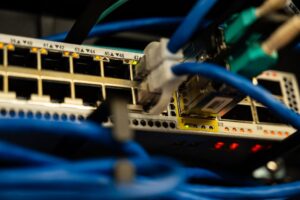
Before data travels through virtual networks, it must be transmitted physically. Ethernet is the dominant wired protocol at the Data Link layer. It uses MAC (Media Access Control) addresses—unique 48-bit identifiers burned into every network interface card. Switches use MAC addresses to forward Ethernet frames only to the correct port on a local network.
Wi-Fi uses the IEEE 802.11 family of protocols. It functions similarly to Ethernet but uses radio waves. It manages channel access (to avoid collisions) and encryption (like WPA3) over the air.
At the Physical layer, protocols define how bits are encoded as electrical voltages, light pulses (fiber optics), or radio waves. For example, 1000BASE-T (Gigabit Ethernet over copper) specifies voltage levels, signaling rates, and cable types (Cat5e, Cat6).
Modern Troubleshooting with Protocols
Understanding protocols is the key to diagnosing network issues.
- Ping: Uses ICMP (Internet Control Message Protocol) to check if a remote host is reachable and measure round-trip time. A “Request timed out” often indicates a firewall blocking ICMP or a dead connection.
- Traceroute: Also uses ICMP or UDP to map the path packets take from source to destination. It reveals network latency at each hop, identifying where bottlenecks or failures occur.
- Wireshark: A packet analyzer that captures and inspects individual packets. You can filter by protocol (e.g.,
tcp.port == 80), examine TCP handshakes, or look for failed HTTP response codes.
The Future: Emerging Protocols and Trends
The landscape of networking protocols is evolving to meet demands for speed, security, and automation.
- QUIC (Quick UDP Internet Connections): Developed by Google, QUIC runs over UDP instead of TCP. It reduces latency by combining encryption and connection establishment into a single handshake (0-RTT in some cases) and handles packet loss more efficiently. It is now the transport layer for HTTP/3.
- HTTP/3: The latest version of HTTP, built entirely on QUIC. It promises faster page loads, especially on unreliable mobile connections.
- gRPC: A high-performance RPC (Remote Procedure Call) framework that uses HTTP/2 and Protocol Buffers (instead of JSON) for efficient microservice-to-microservice communication.
- WireGuard: A modern, streamlined VPN protocol aiming to replace older standards like IPsec and OpenVPN. It offers simpler code, stronger cryptography, and faster speeds.
- Time-Sensitive Networking (TSN): A set of standards for deterministic networking over Ethernet, critical for industrial automation, autonomous driving, and real-time audio/video streaming.
Each protocol is a specialized solution, balancing reliability, speed, security, and overhead. The next time you click a link, remember the hundreds of interconnected rules and layers working from your keyboard, through the air or a wire, across continents, and back to you—all in a fraction of a second. Understanding these mechanisms transforms a simple act into an appreciation of one of humanity’s most intricate engineered systems.